Free and Advanced Process Monitoring Tool for Windows

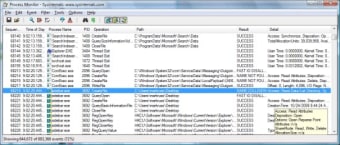
Process Monitor is a software application designed to provide users with a more in-depth perspective of the status of their operating system. So, it can be an excellent addition to native programs such as a standard task manager. Numerous different metrics are displayed in a real-time scenario and this software is absolutely free to utilize.

Features and Primary Functions

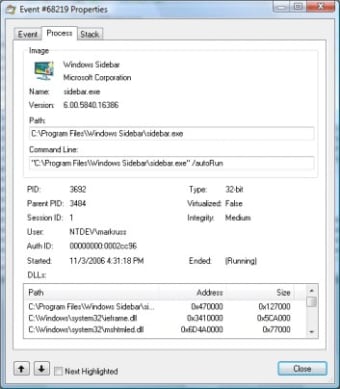
Process Monitor provides the user with an extensive analysis of all functions as they occur. Examples here will include thread activity, memory status, the condition of all registries and the boot time of ongoing operations. Another massive benefit associated with the package is that it is extremely easy to interpret. In many ways, Process Monitor is set up in the same manner as a typical task manager. It will automatically run in the background although the user can also choose to only activate this system when necessary. A total file size of only 974 megabytes offers a very small memory footprint.

Other Applications

While this is not necessarily a tool to delete spyware or malware, it can be used to detect any abnormal processes which may signal a problem. The latest version (3.32) was released in February 2017, so this architecture is extremely up to date.


  • Pros

    • A lightweight and effective monitoring solution for Windows
    • A small file size can be beneficial to systems with little available memory
  • Cons

    • Will not actively thwart threats such as malware or spyware
    • This application is not meant to be used with older operating systems
 0/2

App specs

  • License

    Free

  • Version

    4.01

  • Latest update

  • Platform

    Windows

  • OS

    Windows 11

  • Downloads

    735

    Last month's downloads

    • 2
  • Size

    3.01 MB

  • Developer

Program available in other languages


User reviews about Process Monitor

Have you tried Process Monitor? Be the first to leave your opinion!

Add review

You may also like

Alternatives to Process Monitor

Explore Apps

Latest articles

Laws concerning the use of this software vary from country to country. We do not encourage or condone the use of this program if it is in violation of these laws.
Softonic

Is Process Monitor safe?

100/100

Score result: Clean

This file passed a comprehensive security scan using VirusTotal technology. It is safe to download.

  • Virus free
  • Spyware free
  • Malware free
  • Verified by Security Partners

    VirusTotal logo

Scan Info

Last scan
Tuesday, November 4, 2025
Scan provider
VirusTotal · Full report

File Integrity

File
4.01.zip
SHA256
d4ed579fdc1957fde0124dd41efd8d72af0529254984bfa5a3864ecd8b539252
SHA1
815ae249e5dc5bcdd8576ff29d3ec39e20c761f7

Softonic security commitment

Process Monitor has been thoroughly scanned by our advanced security systems and verified by industry-leading partners. This file comes from the official developer and has passed all our security checks, showing no signs of viruses, malware, or spyware. For more information, visit our Security and Trust Center